DELTA HMI About
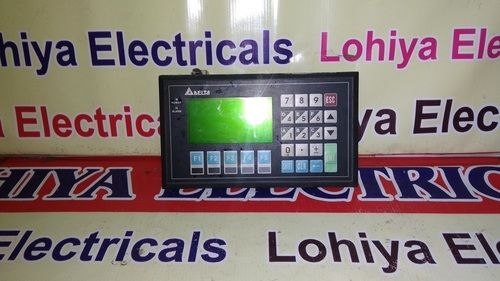
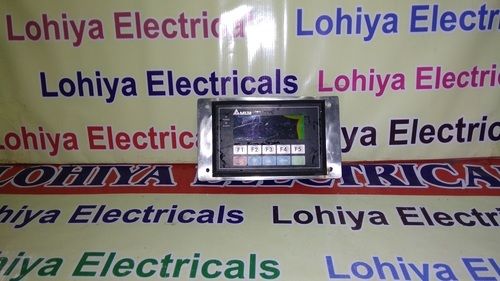
Experience a dazzling fusion of power and design with the new DELTA HMIan unassailable touch interface virtuoso for industrial needs. Highlighted by its 7-inch vivid color display at 800 x 480 resolution, this panel mount device features robust LED backlighting and a 4-wire resistive touch screen. With limited stock available, benefit from expansive connectivity: Ethernet, RS232/RS422/RS485, and USB. It offers up to 90% efficiency and steadfast IP65 front panel ingress protection. Its ABS/polycarbonate build ensures reliability for automation, machine control, and manufacturing systems. Elevate your workflow with DELTA HMIs advanced capabilities before its gone.
Versatile Application & Seamless Operation
Suitable for a plethora of industrial environments, the DELTA HMI finds its forte in factory automation, machine control, and manufacturing systems. Its digital interface excels across diverse application media, including monitoring, controlling, and data input tasks. Installing the panel-mount device is straightforward, with user-friendly connectivity options supporting multiple industry protocols. Operators benefit from intuitive touchscreen functionality and multi-language support, ensuring seamless direction of use within demanding workspaces.
Sample, Packaging & Fast Drop-Off
DELTA HMI samples are readily available for client evaluation before finalizing your proposal amount. Each unit arrives securely packaged to maintain integrity during transit. Typical delivery drop-off adheres to swift timelines, ensuring your operations stay on track. For inquiries on list price or bulk orders, contact our team for tailored options. Choose DELTA HMI for a reliable solution combining rapid delivery, practical packaging, and transparent pricing for all your automation projects.
FAQs of DELTA HMI:
Q: How do I install the DELTA HMI on my equipment?
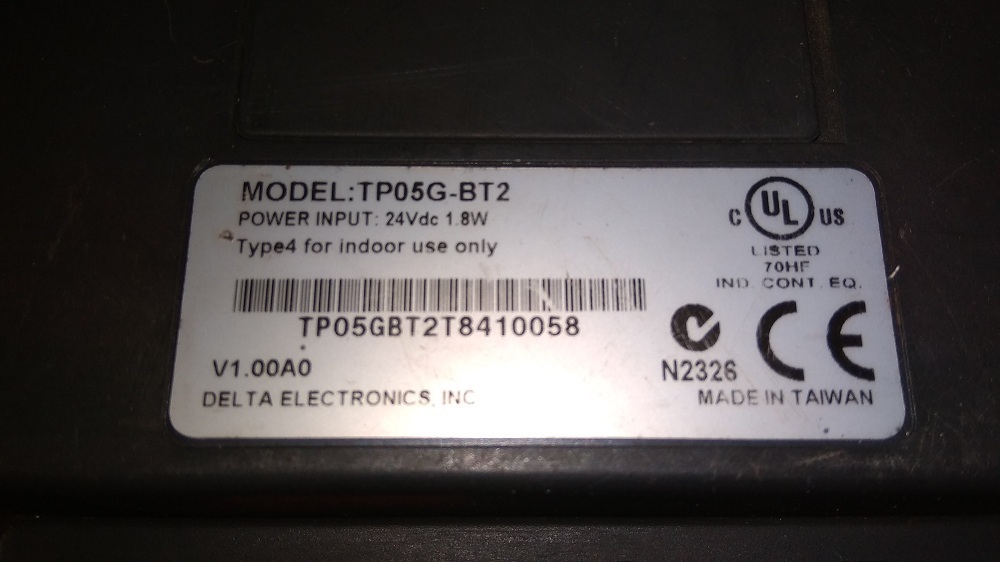
A: The DELTA HMI features a panel mount design for straightforward installation. Simply integrate it into your control panel, connect the appropriate power supply (24V DC or 100240V AC, depending on model), and utilize the desired communication ports for system connectivity.
Q: What makes the DELTA HMI suitable for industrial automation?
A: With its robust construction (ABS/polycarbonate housing), IP65-rated front panel, multi-interface communication, and reliable touch screen functionality, the DELTA HMI is designed to withstand demanding industrial environments and streamline machine control processes.
Q: When will my DELTA HMI be delivered after ordering?
A: Delivery times are prompt and dependable, typically dispatched shortly after order confirmation. Contact our sales team to receive a precise drop-off timeline based on your location and quantity ordered.
Q: Where can the DELTA HMI be applied?
A: The device is ideal for use in industrial automation, machine control, and manufacturing systems, excelling wherever precise human-machine interfacing is needed in both new and retrofit applications.
Q: What is the process for expanding memory on the DELTA HMI?
A: The DELTA HMI supports storage expansion via an SD card slot. Simply insert a compatible SD card into the slot to increase data storage capacity for application logs, recipes, or system updates.
Q: What are the benefits of multi-language support on this HMI?
A: Multi-language support ensures the DELTA HMI can be easily operated by diverse teams, improving accessibility, reducing training time, and enhancing workplace efficiency.

 Send Inquiry




 Send Inquiry

 Send Inquiry